


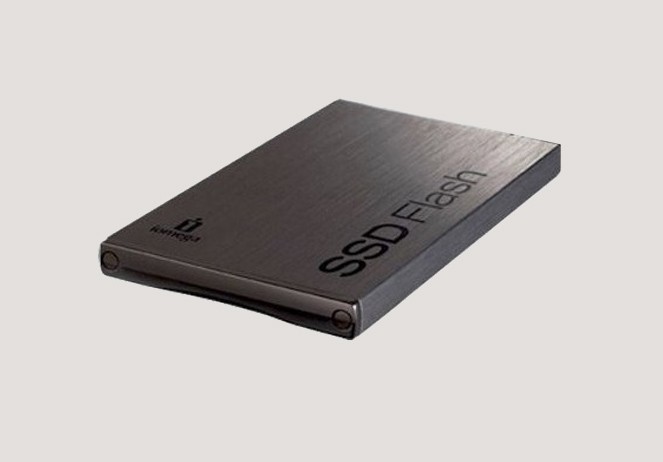
Trends in IT change extremely fast. Not all of us keep up with them, and a lack of knowledge often means we don’t choose the best solution for ourselves. This post is about an often underrated innovation – SSDs, which have revolutionised computer speed. Recently they have also become so affordable that anyone who values their time and data should consider getting one.
Why does an SSD matter?
Let’s start with an everyday situation – talking to customers who already believe they know what they want:
– So you need a fast computer. Could you tell me a bit more about what you expect?
– Yes, I need an i7 processor and at least 8 GB of memory.
Just a few years ago, an Intel Core i7 and as much RAM as possible was the right answer if you wanted everything to run as fast as possible. But processors have improved so much that even a Core i3 is perfectly sufficient for smooth work, and the default 4–8 GB of RAM is enough even for gaming.
The biggest oversight, however, is ignoring the computer’s performance bottleneck – the magnetic hard disk drive (HDD) – and treating it as something that merely stores data. Because it is usually the HDD that is to blame when “the computer is thinking”. The core problem is that while processors and graphics cards get tens of percent faster every year, mechanical HDDs hit the limits of their modest speed long ago. The read/write head physically moving across the magnetic platters can only be sped up cosmetically.
SSDs (solid-state drives), which write data to flash memory chips, brought several advantages at once:
Reliability
Things usually break where there are moving parts. SSDs have none. In addition, a spinning HDD is very sensitive to shocks. When working on a laptop, even a small knock can mean saying goodbye to your data. In this respect, an SSD is far more reliable. And from everyday experience, a computer with an SSD will need warranty service far less often than a failing HDD will need rescuing. 🙂
Lower power consumption
An SSD uses at least three times less power than an HDD. The few watts saved matter most to laptop owners, as an SSD extends battery life. The laptop also runs cooler.
Silence
We’ve all heard the annoying noise of a spinning HDD. When the computer’s fans are practically inaudible, an SSD removes the last remaining source of noise.
Speed
All of the advantages above pale in comparison with the main one – speed. In theory it’s simple: while the HDD head runs around the disk looking for information, an SSD reads data instantly from several flash memory chips at once. Things look even more hopeless for the HDD when the data is scattered across different parts of the disk, as is usually the case. For an SSD, this is not an issue.
Looking at the raw numbers, initial access time on an SSD is 100–120 times faster. And although we are talking about hundredths of a second, reading lots of small files adds up to a noticeable delay. The best example is the operating system boot, which becomes at least twice as fast. And working with thousands of emails in Outlook will no longer be a pain.
Source: OCZ Storage Solutions. In practice, it’s enough to give a customer an SSD as a temporary replacement for a failed HDD – and when the hard disk comes back from warranty service, they go looking for an external enclosure (so the HDD can be kept for backups), because people get used to good things quickly and don’t want to go back. 🙂
Or consider this: the difference of a thousand litas (Lithuania’s former currency, replaced by the euro in 2015) between the coveted i7 processor and the “slow” i3 adds at best around 35% in performance (and usually much less where only a single core is used).
Source: CPU Boss. Meanwhile, EUR 70–100 spent on an SSD often makes everyday tasks not a few percent faster, but several times faster.
SSD prices: the last barrier is gone
Technically, SSDs (used both at home and in business) have no drawbacks. But ever since they appeared, the main obstacle to their market adoption has been price.
It was the dramatic fall in price that prompted this post. Just five or six years ago, EUR 3 per 1 GB of SSD capacity was a lot of money, though understandable for a demanding user. Today SSD prices have reached the point where 1 GB costs 30 cents (yes, about ten times less). That means a fast 256 GB SSD will cost you around EUR 80.
256 GB also essentially solves the other former drawback of SSDs – capacity. And you can always keep the 500 GB HDD removed from your laptop for archive data.
