


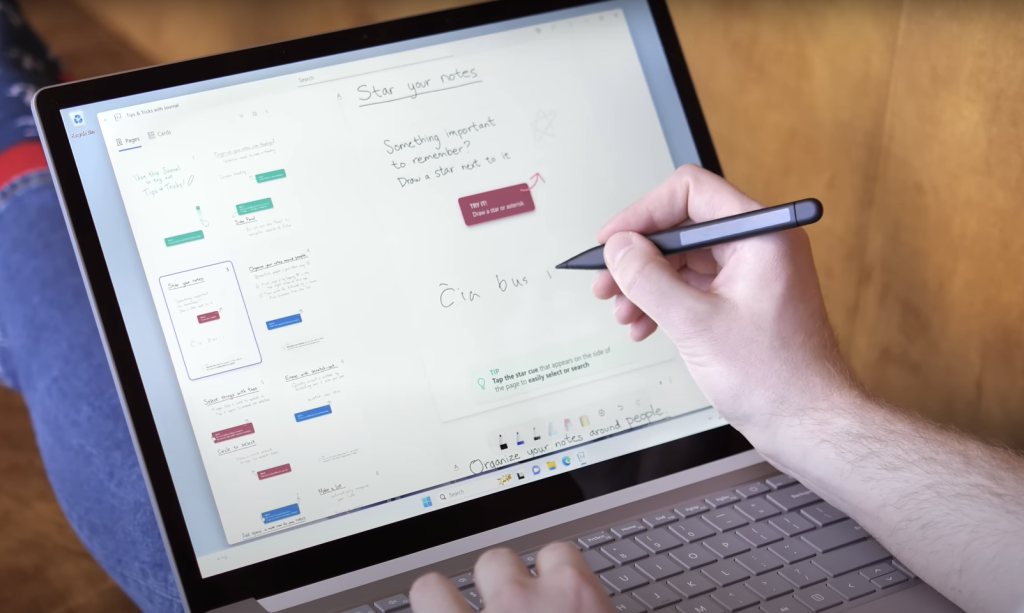

Microsoft unveiled its Surface computers back in 2012, but they only went on official sale in Lithuania three years ago. Following the path paved by Apple (where the same manufacturer develops both hardware and software), Surface hasn’t yet received the attention it deserves in our region – but anyone working in a Windows environment should take a look.
Skaylink’s sales project manager Ervin Rizgelis and technology reviewer Dovydas Rimeisis take a closer look at the most popular business models – the Surface Pro 9 and Surface Laptop 5. Microsoft certainly has more to offer, but the Surface Studio, one of the most popular models in the Baltics, is so specific that it deserves a separate discussion – and Jonas Černauskis, the Skaylink sales manager responsible for Surface, is always happy to make time for it.
Microsoft’s Surface Warranty: A New Device Instead of a Repair
First, a pleasant surprise for the Lithuanian market – Microsoft’s warranty service. If a device fails, you simply register the fault and receive a new device at your workplace, then send the faulty one back in the box it came in. No other equipment manufacturer currently offers this service, even for its most expensive models. What’s more, the standard 2-year warranty can be extended as needed.
Surface also cleverly solves other headaches familiar to users of competitors’ devices. The proprietary Surface Connect port – similar to Apple’s MagSafe, which has saved hundreds of devices from “life happens” moments – is complemented by Thunderbolt 4 on all new-generation devices. Compatibility always matters in business, especially since few offices use docks or monitors from just one manufacturer. And speaking of screens – Surface remains loyal to touchscreens, which pair perfectly with a smart pen.
Surface Pro 9: The 2-in-1 for Business
Now to the specific models. First up, the ninth version of the 2-in-1 design that started it all – the Microsoft Surface Pro 9. Its 13-inch, 120 Hz display with a 1080p front camera fundamentally changes the approach to productivity. The device sits comfortably on your desk on its very convenient and sturdy kickstand, and from there you have full freedom: with the smart pen and buttons built into the Surface itself, you can easily call up the commands you want (a whiteboard, the Snipping Tool or other software of your choice). And while the magnetically attached keyboard turns the tablet into a regular laptop, Windows 11 tablet mode lets you use the Surface Pro comfortably without any keyboard or mouse.
Surface Laptop 5: A Premium Business Laptop
If you prefer a more traditional laptop, Microsoft offers the Surface Laptop 5. The 13.5-inch and 15-inch models differ mainly in size and weight and are similar in design, ports, battery and even display pixel density (201 DPI). However, the smaller Laptop 5 comes in more colours and with a Core i5 processor option – a great choice if you want to save. Skaylink office veterans also praise the Alcantara version: as Skaylink’s own Surface Laptop 4 shows, it still looks flawless even after two years of intensive use.
What sets the Surface Laptop apart from other premium laptops is its display quality: a 3:2 aspect ratio, individually factory-calibrated colours, and support for sRGB and Dolby Vision IQ profiles. And while a glossy display is a matter of taste (businesses tend to prefer matte), Surface displays are practically identical in quality to those found in MacBooks – only with touch.
So what about pricing? And where could Surface still improve? If you’re curious which Surface features Ervin and Dovydas liked most and what you get for the usual price of a premium business model – watch the review.
The review is presented by Skaylink – a certified Microsoft partner for modern workplaces and managed security services (today Skaylink is a Microsoft Solutions Partner).
