


https://youtube.com/watch?v=Hj_wiueLUKc%3Fsi%3DVvPtZiurh6aV9vbw
The era of Windows 10, the world’s most popular operating system, comes to an end on 14 October, when Microsoft stops free security support for it (support ended on 14 October 2025). What should Windows 10 users do next, what risks do they face, and what solutions are advisable?
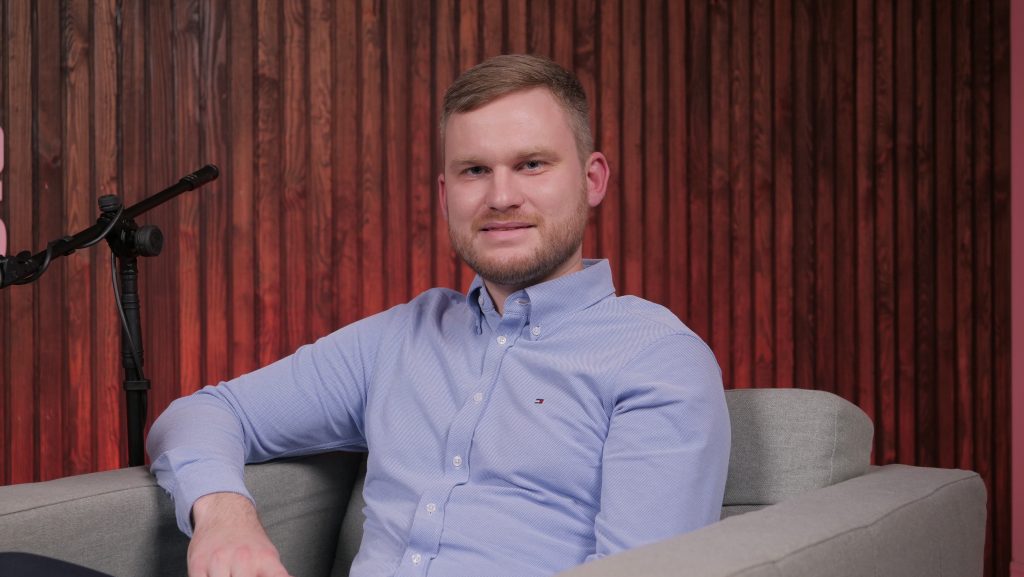
Jonas Černauskis, project manager at Skaylink Lietuva, a provider of managed cloud, DevOps and IT services, says there are different possible paths, depending on the current state of each company’s IT estate.
“After 14 October there will be no more Windows 10 updates, and the vulnerabilities that keep appearing as IT systems and applications change will not be patched. This means that fraudsters, who are constantly looking for holes in your computer and refining their hacking techniques, will find it easier to reach your data and steal it,” explains the Skaylink Lietuva project manager.
He points out that attackers most often choose to breach company and organisation IT systems through individual workstations, so it is necessary to take care not only of hardware but of comprehensive protection – migrating to Windows 11 can become an opportunity for companies to solve other IT problems at the same time.
The dilemma: extend the old or buy new
The simplest solution, which Černauskis has already hinted at, would seem to be upgrading hardware. According to him, many Lithuanian companies use computers for as long as they work, and computers bought more than six years ago simply do not support the new Windows 11 operating system, so a new licence alone will not do the trick.
“Admittedly, Microsoft is not shutting down Windows 10 support completely: you can buy Extended Security Updates and extend support for up to 3 years. Some companies will have to keep using this operating system, because some of their other devices may only work with a computer running Windows 10 and will not work with Windows 11,” explains the Skaylink Lietuva project manager.
Extending Windows 10 support for one computer will cost EUR 65 (+VAT) in the first year, twice as much in the second year – EUR 130 – and double again in the third year – EUR 260. Windows 10 will not get new features as a result, but critical and important updates will be available. So, according to Černauskis, companies need to calculate carefully whether to pay for three years of Windows 10 support until the computer is nine years old, or to buy the employee a new computer with a basic business configuration and a new, more secure and much faster operating system for a similar amount.
However, the IT specialist notes, computers with the latest processors that deliver the full functionality of the new Windows 11 operating system only went into production a year ago and are more expensive than those using older technology that is 2–3 years old.
Microsoft’s Windows 11 hardware vision and Copilot+ PC capabilities
If a company wants to make full use of Windows 11 and artificial intelligence (AI), Microsoft has even introduced a special term for computers that can perform AI computations on their own – “Copilot+ PC”.
According to Jonas, Microsoft is setting an example for the whole market with its new generation of Microsoft Surface computers. Flawless build and display quality, touch-sensitive screens, a battery that lasts the whole working day and different portable formats for different needs – and Skaylink Lietuva lets companies see this for themselves with demo computers.
“With the Surface series, Microsoft follows the successful experience of competitors from the apple camp, where the synergy of hardware and software from the same manufacturer ensures the best user experience, while also offering its own advantages for business,” smiles the Skaylink Lietuva project manager, immediately listing several practical examples that not only make work easier but also extend the computer’s battery life:
“For example, if you are on a video call, an older laptop – 3–4 years old – with an updated operating system will use 5–6 W for background blur, while the new one uses up to 0.5 W. Another handy feature is live translation: when you watch a video in a language you don’t understand, you just press a button and get a translation in your chosen language at the bottom of the screen. This feature can also be used in Microsoft Teams calls. Importantly, this data is processed on the computer and does not leave it – which increases security,” says Černauskis, sharing his hands-on experience.
With one click, you can also see your phone screen on your computer monitor and choose the functions you need, e.g. make calls, reply to text messages or view photos on your phone.
According to Jonas, clients often ask how they can make better use of AI for their business needs, and Skaylink Lietuva offers a two-hour Copilot AI training course on how to maximise the benefits of Microsoft AI.
Ready to help you use your hardware more efficiently
According to Černauskis, Skaylink Lietuva specialists provide a range of services – from the simplest, such as workplace or infrastructure maintenance, to hardware sales and the search for bespoke solutions – meeting every need around workplaces, hardware, IT security, infrastructure and architecture.
Jonas stresses that the end of Windows 10 can be the beginning of putting a company’s IT estate in order.
“When clients come to us for workplace support, we first analyse their computers and other IT equipment, then monitor each device and what is happening on and with it, and based on these needs we select solutions from basic workstation support to comprehensive IT security solutions, ensuring companies comply with requirements such as the TIS2 (NIS2) directive. For example, a three-digit number of companies in Lithuania trust our BTT Armour security service, which provides multi-layered protection,” says the Skaylink Lietuva project manager.
“Skaylink Lietuva also solves more down-to-earth problems – for example, whether an employee is playing games during working hours, which we can block, or whether they have installed unwanted or even prohibited software – and we can manage every device,” says Černauskis. “By the way, it makes me happy when a client’s employee receives a new factory-sealed computer, unpacks it themselves, and we prepare it for work, installing the required software and settings remotely.”
He notes that Microsoft is also convenient because it offers one tool to manage the entire IT estate, even though devices may come from different manufacturers and “eras” – what IT specialists call a “zoo”.
“And Windows 11 provides even more security, functionality and compatibility. So if companies have questions about deploying the new operating system, its features and capabilities, or need to train their employees, we are ready to advise and help them use their hardware as efficiently as possible,” stresses the Skaylink Lietuva project manager. For help with a Windows 11 upgrade or managed workplace services, see our IT services or write to sales@skaylink.lt.
